More
Once you’ve played a song: AI charts, handing setup to Claude Code or Codex, sharing charts as gists, config.toml and more languages.
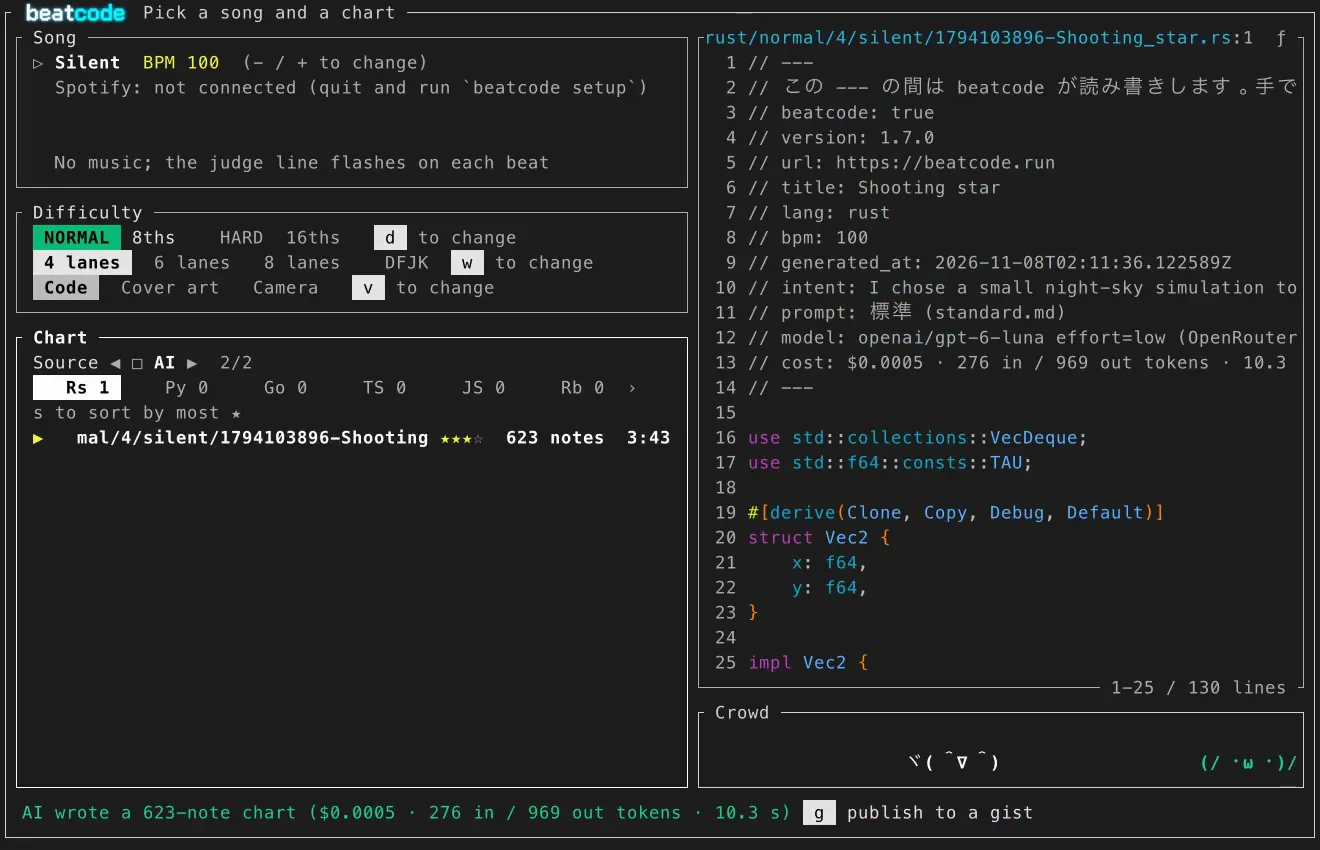
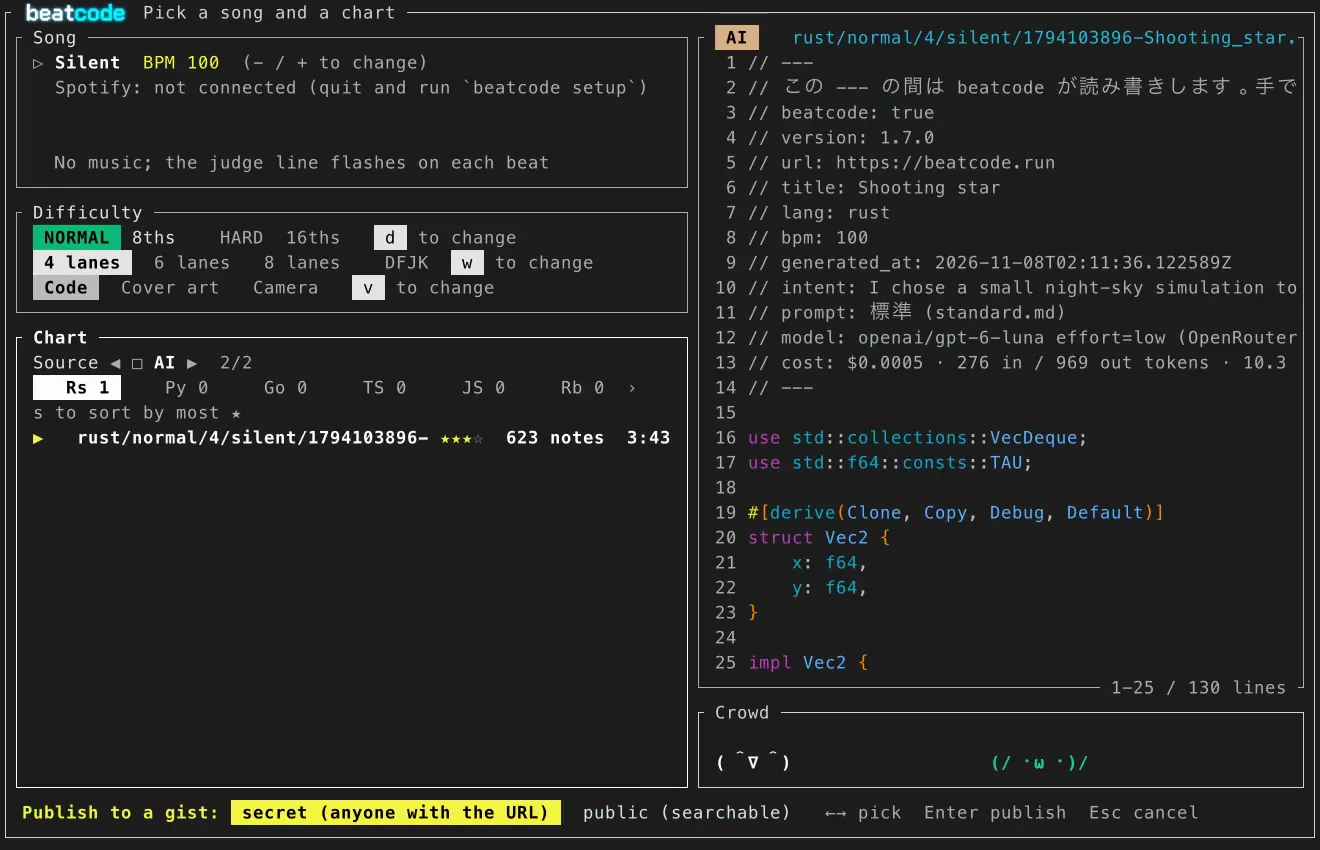
Recorded with beatcode record. The AI chart is a real one, written by openai/gpt-6-luna through OpenRouter; the gist dialog was closed with Esc, so nothing was published.
01Have an AI write a chart
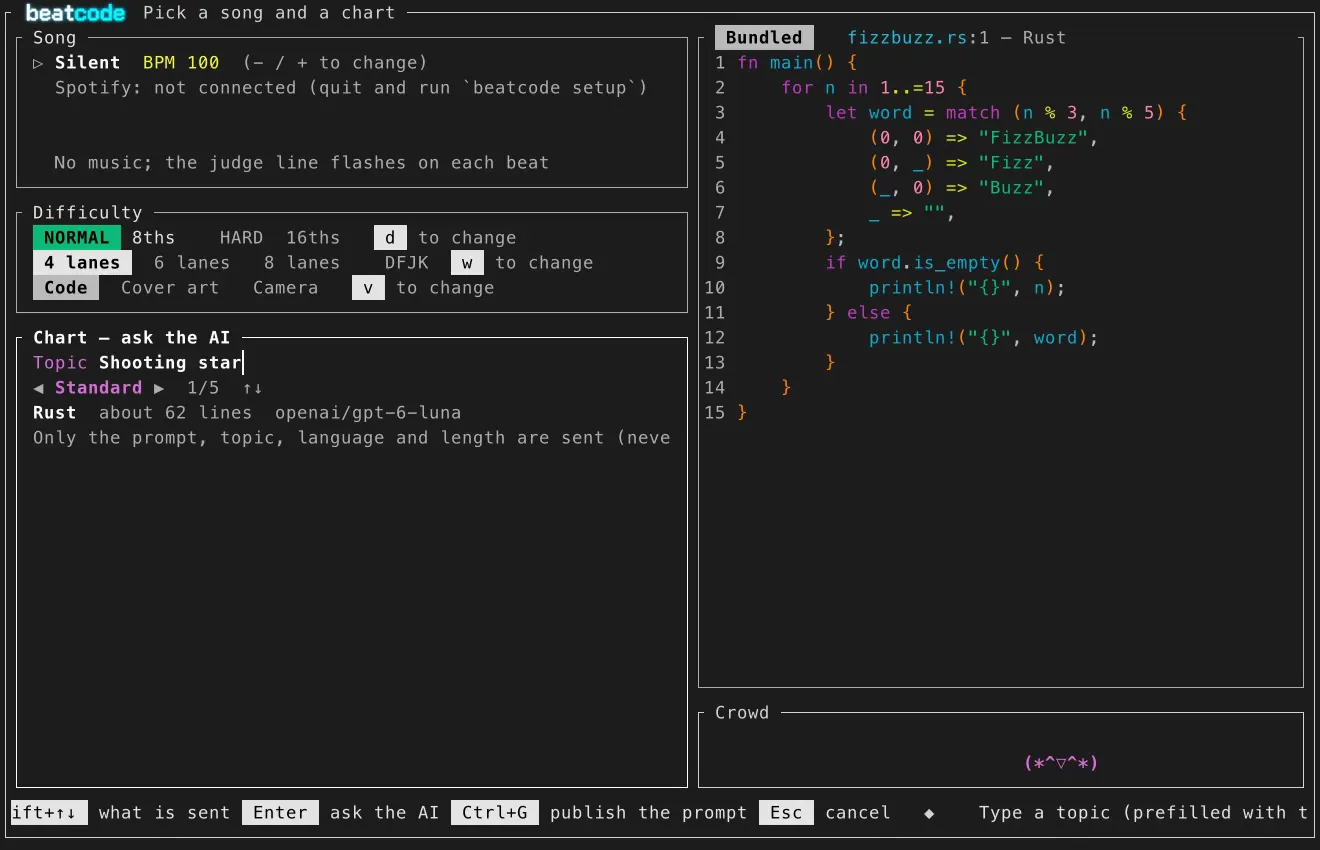
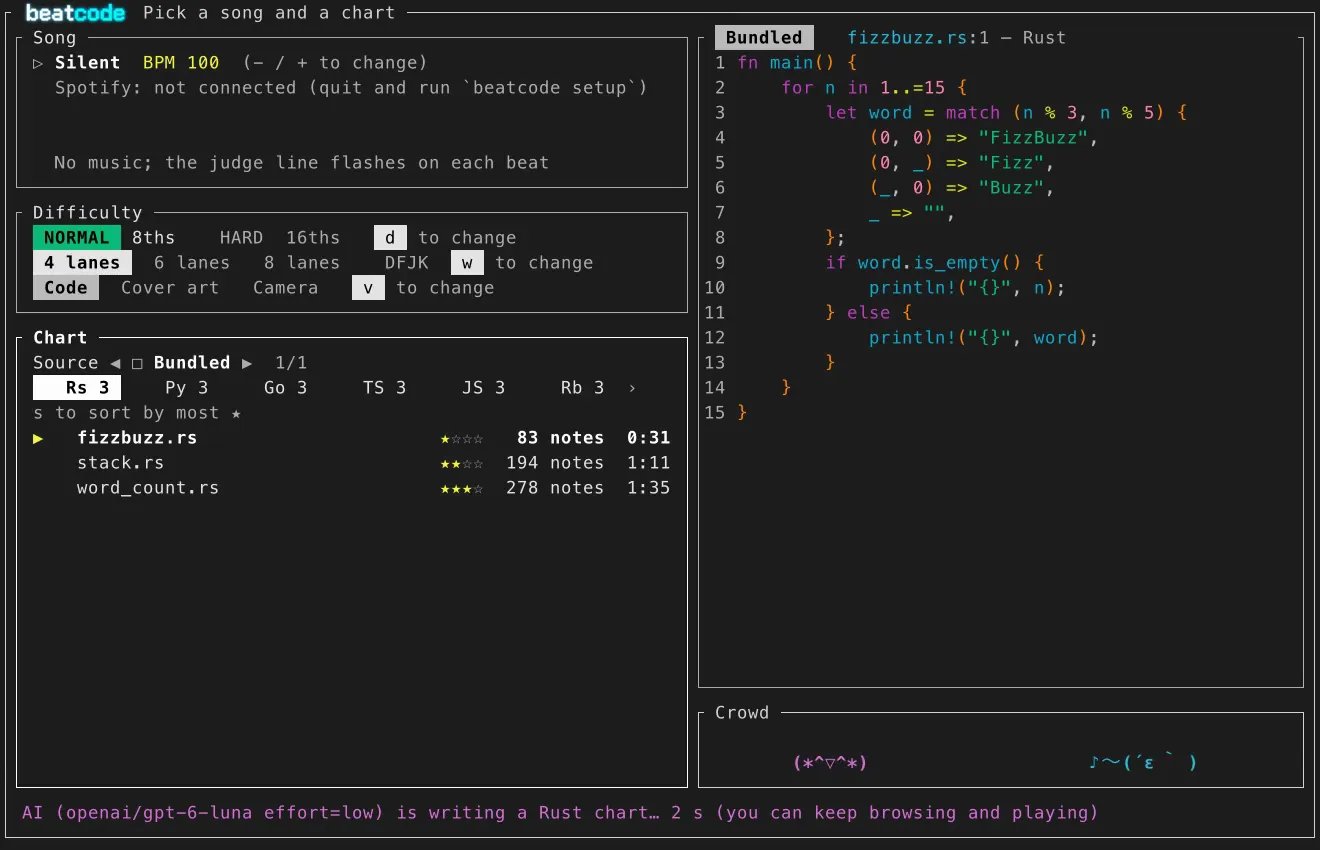
On song select, press a, type a topic and press Enter. The AI writes code in the language you picked, and that code becomes the chart. You can keep picking and playing other charts while it writes.
With a song picked, the topic starts as the song title and artist. ↑ ↓ picks a prompt (standard, song mood, symbol-heavy, rhythm-first, textbook), ← → a language.
Write your own prompt with beatcode prompts new. Pick a blank skeleton or a prompt to start from with ↑ ↓ (or name one with --template mood), and it opens in $EDITOR with the replacements you can use listed as comments at the top; save and close it, give it a name, and it shows up in ↑ ↓. beatcode prompts list shows them all, and beatcode prompts edit <name> changes one.
Only the prompt, the topic, the language and a rough length are sent — never code from your repos. The cost shows on screen; with the default model it came to $0.0004 to $0.0005 a chart in these recordings. beatcode ai clean removes the charts the AI wrote.
First, paste an API key with beatcode setup ai. beatcode checks that it works, then saves it readable only by you. Switch where it asks with beatcode provider ai <id>.
beatcode setup aibeatcode prompts new --template mood- a
- Ask the AI (on song select)
- ↑↓
- Pick a prompt
- ←→
- Pick a language
- Shift+↑↓
- Scroll what will be sent
- Enter
- Send
| Provider | Get a key at | Environment variable |
|---|---|---|
| openrouter (default) | openrouter.ai/settings/keys | OPENROUTER_API_KEY |
| openai | platform.openai.com/api-keys | OPENAI_API_KEY |
| google-ai-studio (plugin) | aistudio.google.com/apikey | GEMINI_API_KEY |
02Let Claude Code or Codex set it up
beatcode skills puts the /beatcode-setup, /beatcode-teardown and /beatcode-work skills in ~/.agents/skills/, and links to them from ~/.claude/skills/ and ~/.codex/skills/ if those exist.
Run /beatcode-setup in Claude Code or Codex. It looks at what’s connected — the Spotify login, AI keys, voice engines, config.toml, shell completions — and asks what to set up. Spotify and AI keys go through beatcode setup; the combo voice and icons go into config.toml; completions go into your shell rc. It never reads what’s inside a key.
/beatcode-teardown is for leaving: it asks what to remove and shows the list before deleting anything. /beatcode-work <task> does a task as usual and tells you in the crowd panel when it’s done; the Skills page has the details.
beatcode skillsInstalled: ~/.agents/skills/beatcode-setup/SKILL.mdInstalled: ~/.agents/skills/beatcode-teardown/SKILL.mdInstalled: ~/.agents/skills/beatcode-work/SKILL.mdRun /beatcode-setup in Claude Code or Codex03Pass a chart around as a gist
Bundled charts, charts the AI wrote and charts taken from a gist can go up as a gist for someone else to play. beatcode talks to gists through gh, so you need gh auth login with the gist scope.
Pick the chart and press g. ← → picks secret (anyone with the URL; the default) or public (searchable), Enter publishes. The code and the notes (.bme) go into one gist, and the URL shows at the bottom.
To play one, press G on song select, paste the gist URL or ID and press Enter. It lands in the Gist source with the author’s difficulty, lanes and song (d and w still change them), and starts playing. Typing it after / on the chart row fetches it too, without playing.
Charts from a public GitHub repo can be published too, as long as the files match what’s pushed. beatcode doesn’t check the license, so make sure the code may be shared.
Examplegist.github.com/yukihirop/bf0269cdd3f7e408bdd89d08e8195e74R.Y.U.S.E.I. (J SOUL BROTHERS III) on Spotify, NORMAL, 4 lanes: the code (.ts) and its notes (.bme). Paste the URL with G to play it.
- g
- Publish to a gist
- ←→
- secret or public
- Enter
- Publish
- Esc
- Cancel
- G
- Paste a gist and play it
04Change things in config.toml
Settings live in ~/.config/beatcode/config.toml. Without it everything runs on defaults. An unknown key or a typo stops beatcode with the line and column, so mistakes don’t pass silently.
The provider lines of [music], [ai] and [voice] can also be changed with beatcode provider, which rewrites just that one line.
beatcode providerbeatcode provider music youtube-music| Section | Keys | What they do |
|---|---|---|
| [music] | provider | Where songs play: "spotify" (default) or "youtube-music" |
| [ai] | provider · model · effort · xray · xray_notes | Who writes charts, which model, how hard it thinks, and the song’s X-ray in the prompt |
| [voice] | provider | "voicevox" or "aivisspeech" calls out every 10 combo |
| [keys] | lanes · lanes6 · lanes8 | Keys per lane (default D F J K) |
| [theme] | name | default · monokai · dracula · nord · gruvbox · solarized |
| [effects] | bomb · beam · crowd · combo · milestone · notices | Hit flashes, lit lanes, the crowd of faces, the big combo count, the 100-combo flash and notices from other terminals |
| [sound] | se · volume | Sound effects for moving around the screens |
| [display] | language · icons · logo · note_text · next_token · select_jacket | Screen language, icons, the logo, the token text on notes and in the middle of the lanes, and cover art on song select |
| [share] | rank | Put the ranking line in the X draft or not |
| [repos] | ignore · min_notes | Folders to skip when finding your repos, and the fewest notes in a repo chart |
05Add a language
Built in: Rust, Python, Go, TypeScript, JavaScript, Ruby and PHP, plus Japanese and English prose. More can be added without rebuilding beatcode; they line up after the built-in tabs and work for your repos too.
beatcode plugins install c adds one from the Releases; the Plugins page lists all of them.
Describe a language in ~/.config/beatcode/langs/<id>.toml: keywords, comments and strings (beatcode plugins example prints one for Lua). beatcode plugins lists every language and why an external one failed to load.
beatcode pluginsRust rust .rs built-inPython python .py .pyi built-inGo go .go built-inTypeScript typescript .ts .tsx .mts .cts built-inJavaScript javascript .js .jsx .mjs .cjs built-inRuby ruby .rb .rake built-inPHP php .php built-in日本語 ja .md .txt built-inEnglish en .md .txt built-in