How to play
From song select to the results screen, then the settings worth knowing. Each step shows the screen you’ll see.
Recorded with beatcode record, playing Heroes Tonight (♩=128, 3:28) by Janji (feat. Johnning) through Spotify, with the bundled Rust charts. A small bot that reads the screen did the hitting, so the scores aren’t a person’s. Song: Janji - Heroes Tonight (feat. Johnning) [NCS Release]. Music provided by NoCopyrightSounds. Free Download/Stream: http://ncs.io/ht Watch: http://youtu.be/3nQNiWdeH2Q
01Pick a song and a chart
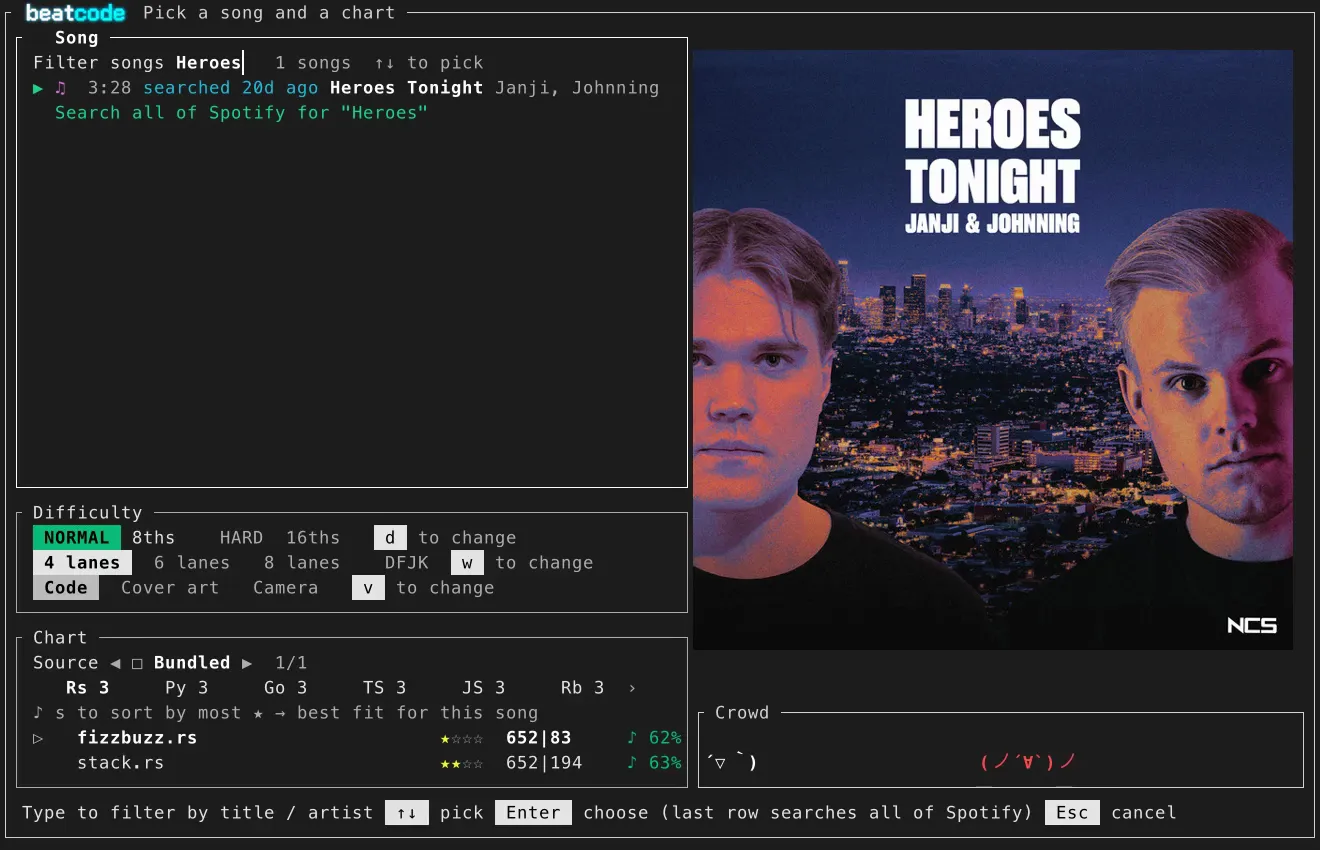
Run beatcode with no arguments. Songs are top left, charts bottom left, and the code of the selected chart is on the right. Press / on songs to find one: typing filters by title and artist, and the last row searches all of Spotify (or YouTube Music). Rest on a song for 0.4 seconds and a preview plays: its loudest 30 seconds with Spotify, from a third of the way in otherwise. A searches everywhere for the artist of the song under the cursor.
The bundled source has three songs in each of Rust, Python, Go, TypeScript, JavaScript, Ruby and PHP. Your local git repos and GitHub repos are other sources; switch with [ and ].
beatcode- Tab
- Move between songs, charts and code
- ↑↓
- Pick
- /
- Find a song (on songs)
- A
- Find more by this artist (on songs)
- ←→
- Language
- Space
- Play the selected pair now
- Enter
- On charts, choose what the lower right shows, then play
- Esc
- Back, or quit from the song list
02Check your keys
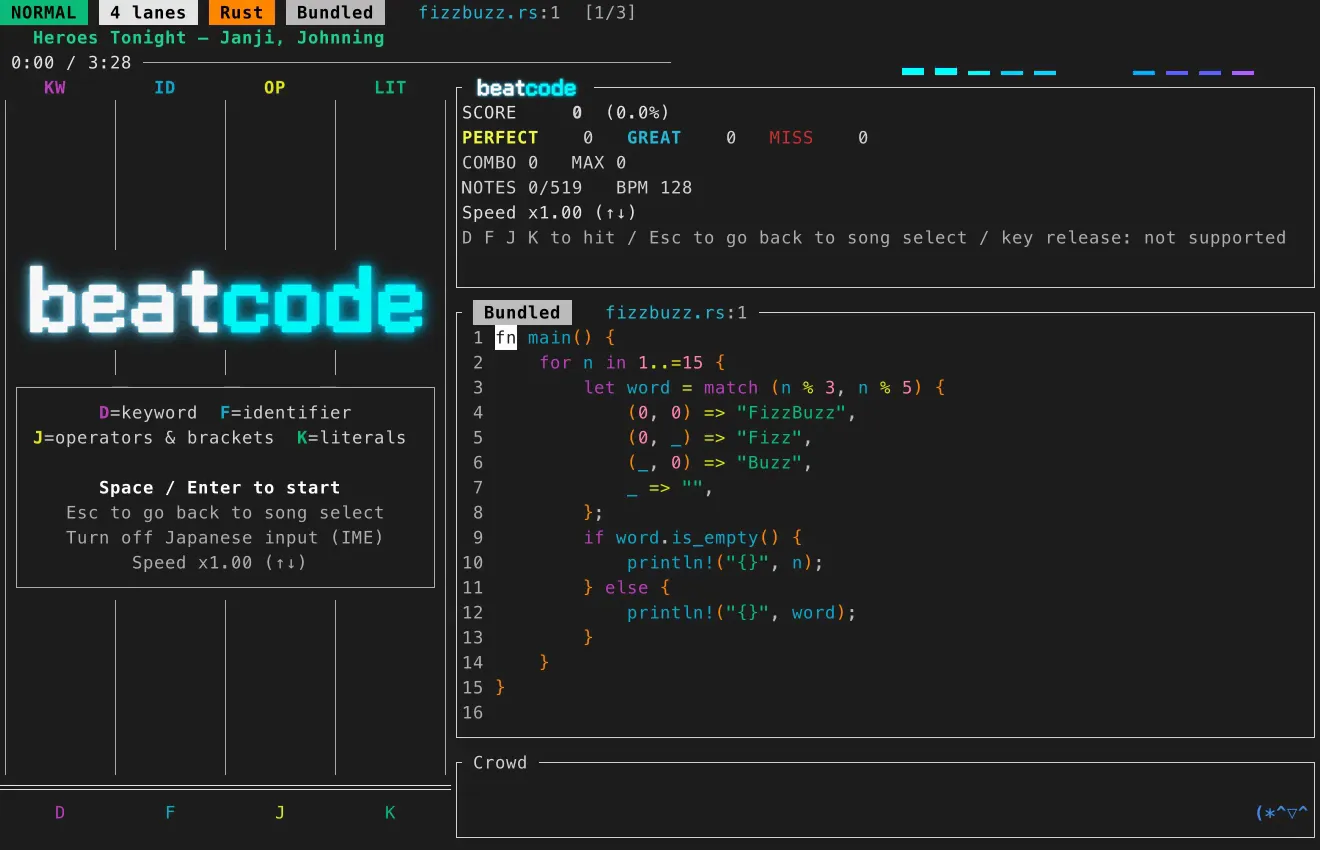
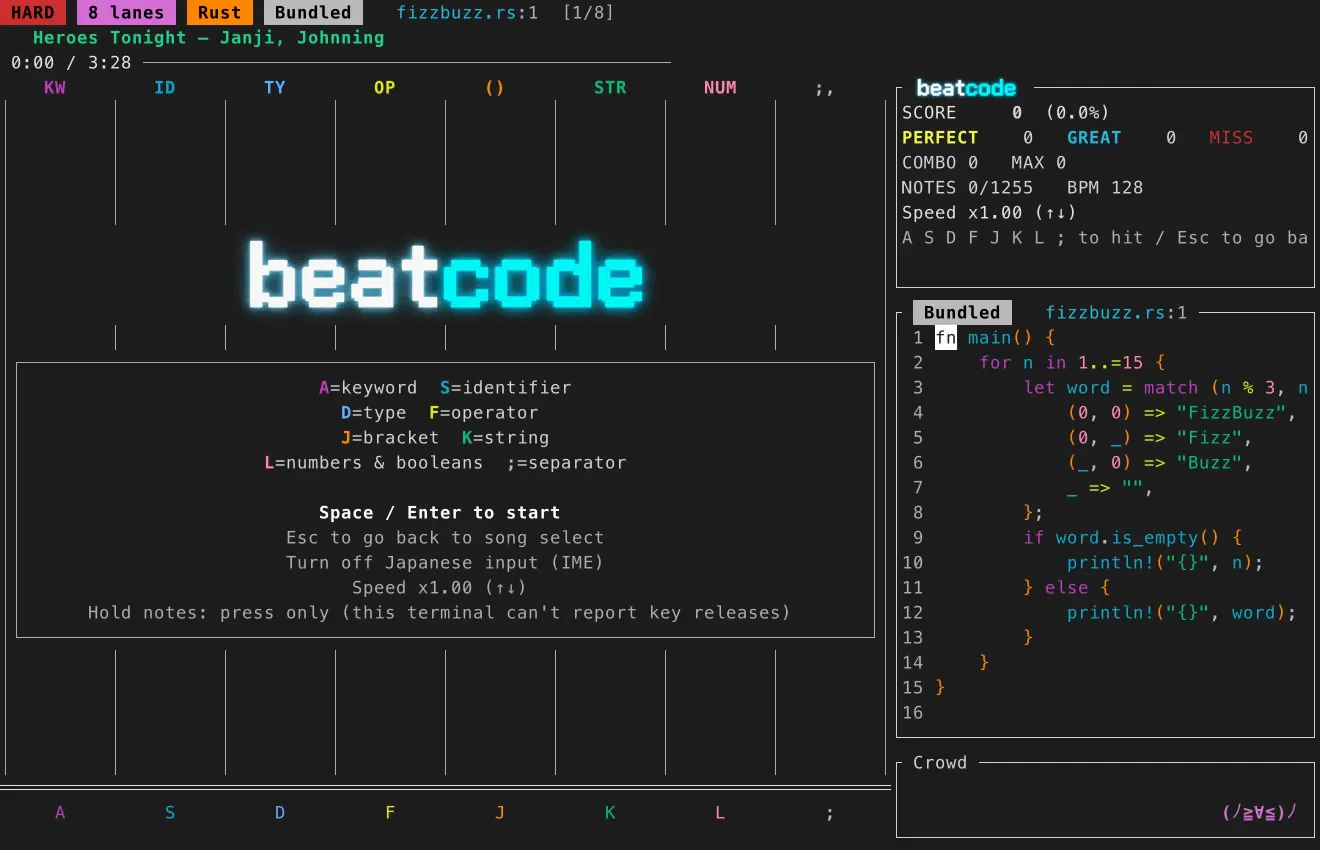
The ready screen lists which key plays which kind of token. Press a lane’s key and it lights up, so you can check your keys arrive.
Turn your Japanese input method off first. With it on, the keys never reach the game.
- DFJK
- The four lanes: keyword, identifier, operator and bracket, literal
- ↑↓
- Scroll speed, x0.5 to x4.0
- Space/Enter
- Start a four-beat count-in
- Esc
- Back to song select
03Hit each token on the line
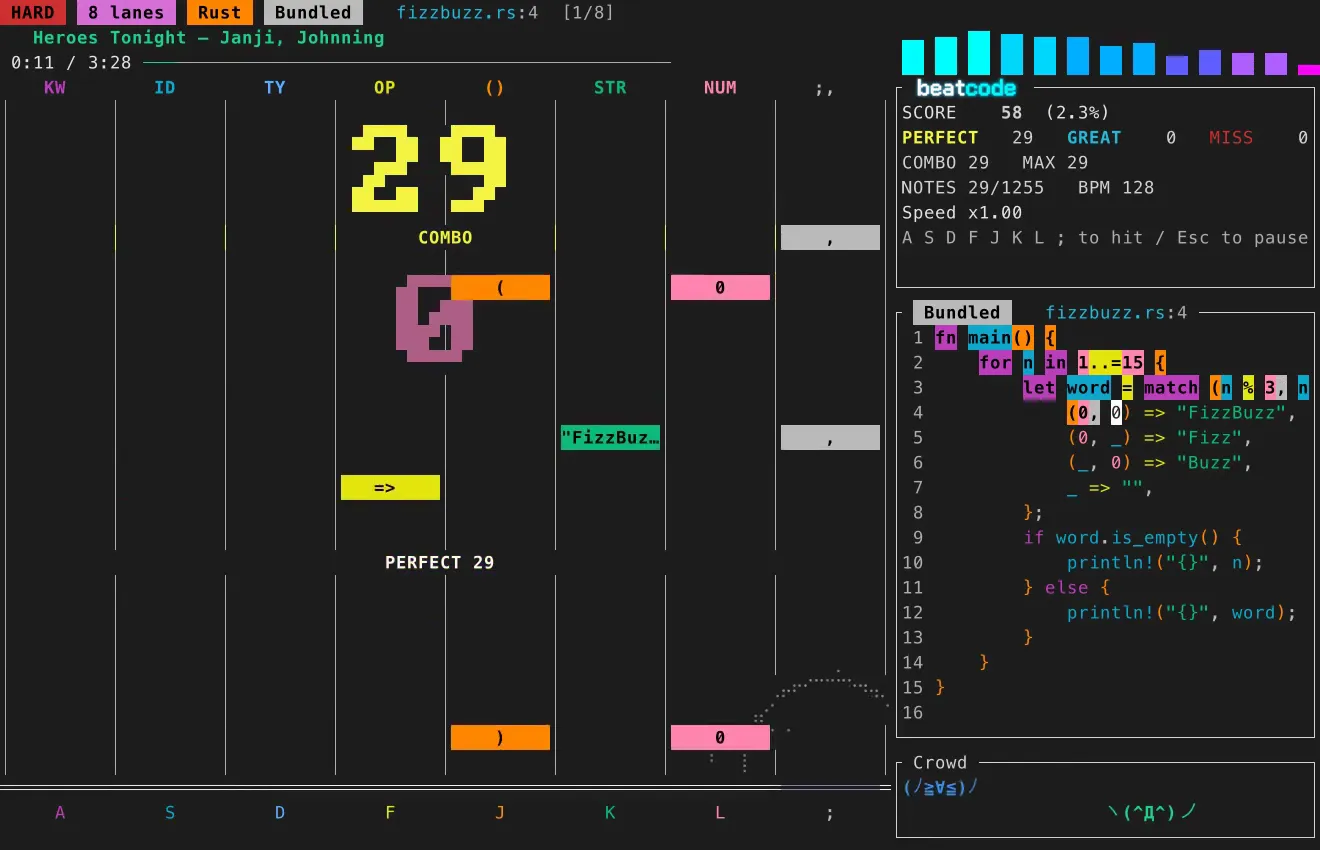
Tokens fall down their lanes. Press the lane’s key as each one reaches the judgment line. The code on the right lights up as you play it, and the combo counts up in the middle of the lanes.
PERFECT is within ±50 ms and scores 2, GREAT within ±110 ms scores 1, and anything later is a MISS. Esc pauses and asks whether to quit the song.
- DFJK
- Hit
- Esc
- Pause
04Read the results
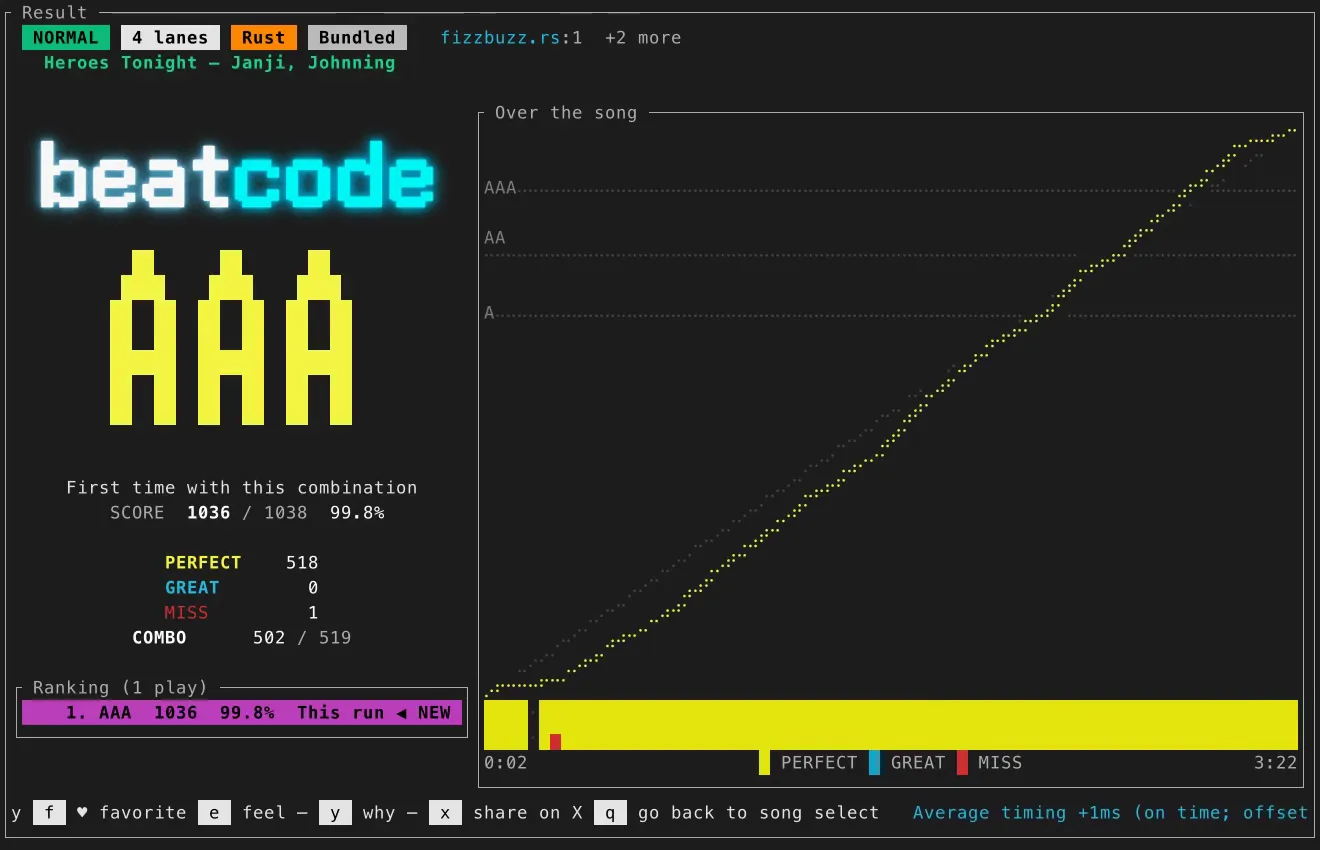
The rank runs from AAA down to F, from your share of the maximum score. The graph shows the score over the song, the strip below it each judgment in time, and the box on the left the best five plays of the same song and chart.
After 30 notes or more, the bottom line shows your average timing. Press o to shift judgment by that much and keep it.
e rates how the play felt (◎ ○ △) and y says why (S off the song, C dull chart, M my playing). They are kept with the play and shown in the history.
- r
- Play it again
- f
- Favorite this combination
- e
- How it felt: ◎ → ○ → △ → none
- y
- Why: S → C → M → none
- o
- Shift judgment by your average timing
- x
- Share a result card on X
- R
- Open this chart’s ranking
- q
- Back to song select
05Show it off on X
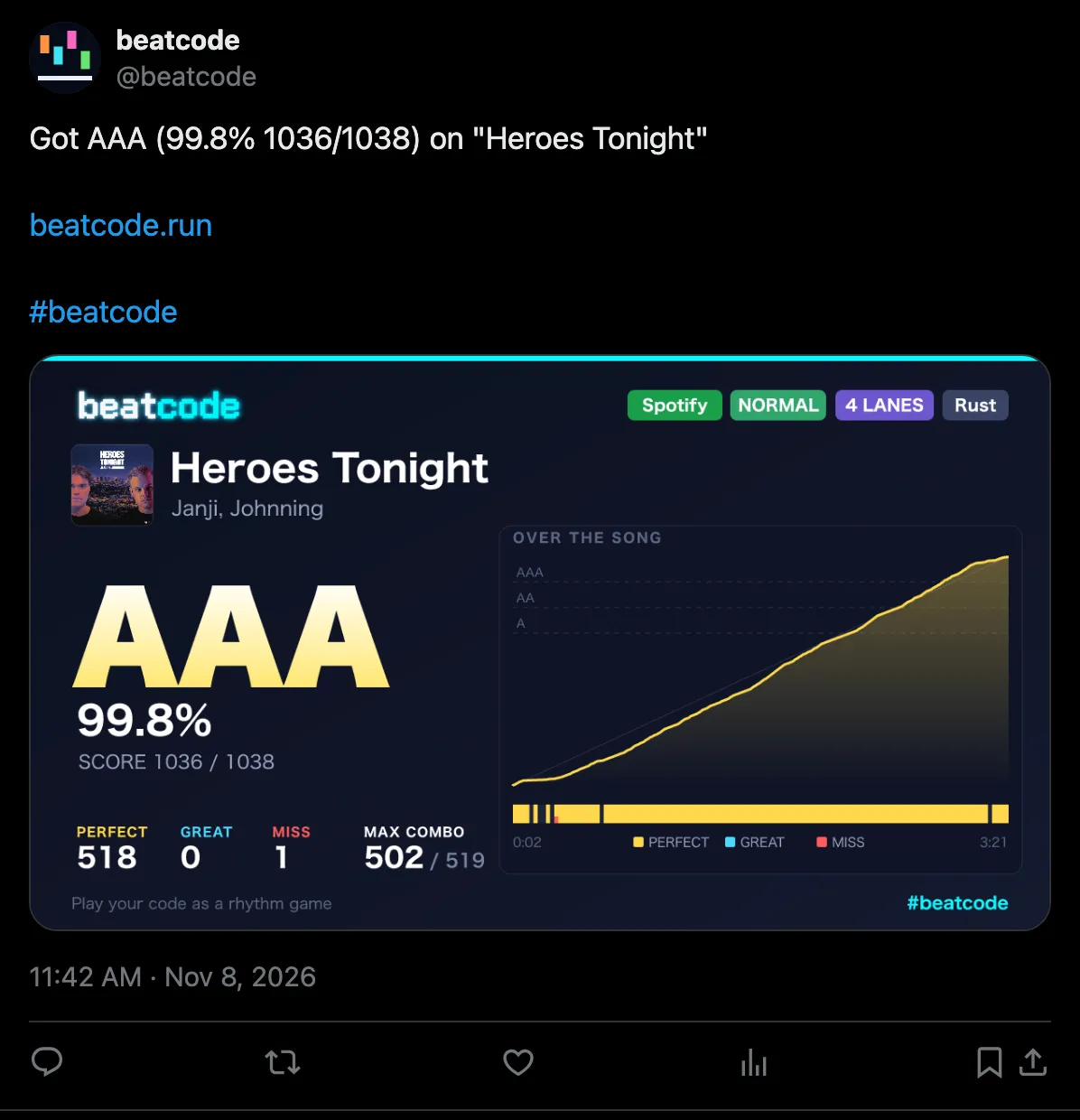
On the results screen, x draws a result card — a 1200×675 PNG with the rank, percentage, judgment counts, graph, difficulty, lanes and language — copies it to the clipboard and opens X’s post page with a draft. Paste the card with ⌘V, then post.
The draft has the rank and score, the chart’s gist URL, the beatcode URL, a ranking line (bc1:…; [share] rank = false in config.toml leaves it out) and #beatcode. A bundled, AI or Gist chart that isn’t published yet asks secret or public and goes to a gist first. The card is also kept in ~/.cache/beatcode/share/.
- x
- Make the card and open X (on the results screen)
- ⌘V
- Paste the card into the post
06More lanes, harder charts
On song select, w switches between 4, 6 and 8 lanes, and d between NORMAL and HARD. More lanes split tokens into finer kinds.
HARD packs the same tokens into 16th notes. Two tokens written with no space between them in different lanes come down together, and string literals of 12 characters or more become hold notes.
With no song playing, --bpm N sets the tempo (100 by default).
beatcode src/main.rs --lanes 8 --hardbeatcode src/main.rs --bpm 140- SDFJKL
- 6 lanes: keyword, identifier and type, operator and punctuation, bracket, string, number and boolean
- ASDFJKL;
- 8 lanes: keyword, identifier, type, operator, bracket, string, number and boolean, punctuation
- w
- Lanes 4 / 6 / 8
- d
- NORMAL / HARD
07Play one again from history
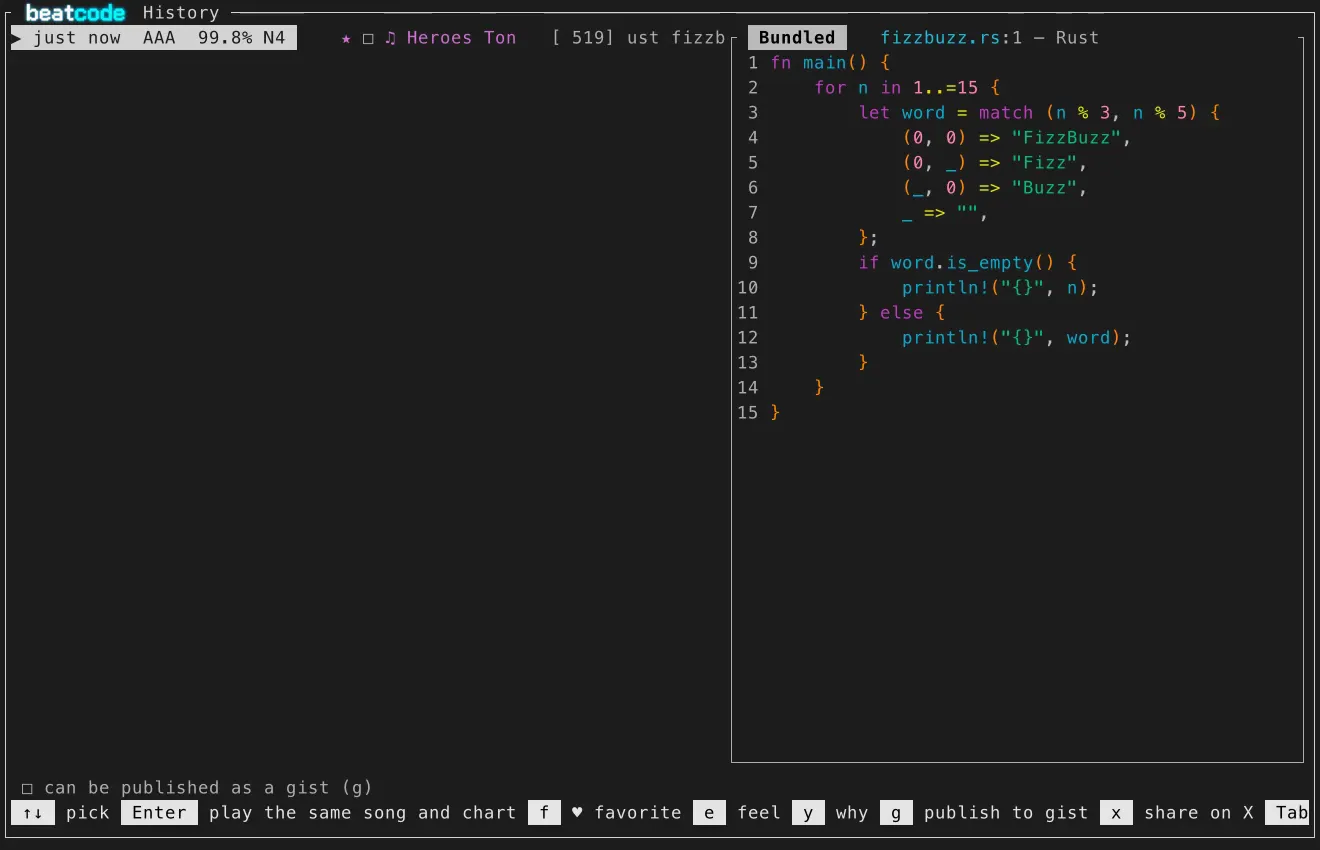
Press p on song select to list finished plays, newest first. A ★ marks your best for that song and chart. Only plays on the current music provider (and silent ones) are listed.
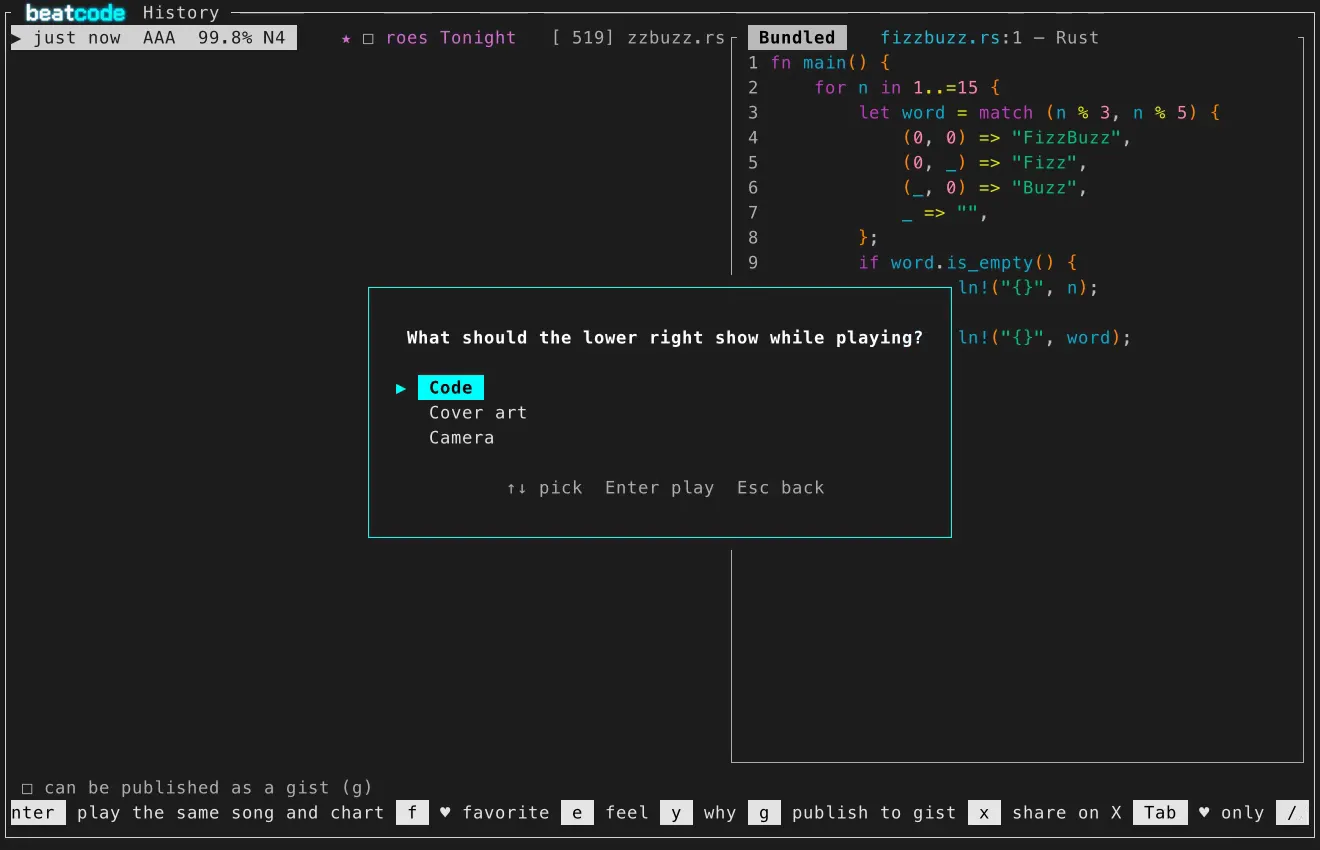
Enter asks what the lower right shows while you play, then starts the same song, chart, difficulty and lanes again. Plays of a file given on the command line aren’t kept.
Each row shows the feel you gave it (◎ ○ △) and its reason (S C M); e and y change them here too. g publishes that play’s chart to a gist, and x makes its result card again for X.
- p
- Open the history (on song select)
- Enter
- Play the same song and chart
- f
- Favorite; Tab shows favorites only
- /
- Filter
- e
- How it felt: ◎ → ○ → △ → none
- y
- Why: S → C → M → none
- g
- Publish the chart to a gist
- x
- Share the result card on X
- Esc
- Back
08Connect music and more
beatcode setup asks in turn: where songs play, which AI writes charts, the combo voice, the display language, folders to skip when finding repos, and (with a ranking server set) the GitHub sign-in. Pick with ↑ ↓ and Enter, or skip one with Esc. beatcode setup music (or ai, voice, language, repos, rank) asks just that one.
Spotify needs Premium. YouTube Music works through the Pear Desktop app. Not now keeps playing Silent.
beatcode setup- ↑↓
- Pick
- Enter
- Choose
- Esc
- Skip this one
