Skills
beatcode comes with three skills for coding agents. They set beatcode up for you, remove it when you’re done, and tell you in the crowd panel when work you handed to Claude Code is finished.
The command output was taken in an empty home folder that had ~/.claude/skills. The notice screenshot is a frame of a recording rendered by beatcode record render, playing the bundled fizzbuzz.rs without music; the notice was left with beatcode notify, and the keys were pressed by a script, not a person.
01Install the skills
beatcode skills puts the three skills in ~/.agents/skills/. The skills are built into beatcode, so they match the version you have; run it again after updating beatcode to refresh them.
If ~/.claude/skills/ or ~/.codex/skills/ exists, it also links each skill there, so Claude Code and Codex find them. A skill of the same name that’s already there is left alone.
beatcode skillsInstalled: ~/.agents/skills/beatcode-setup/SKILL.mdInstalled: ~/.agents/skills/beatcode-teardown/SKILL.mdInstalled: ~/.agents/skills/beatcode-work/SKILL.mdInstalled: ~/.claude/skills/beatcode-setup -> ~/.agents/skills/beatcode-setupInstalled: ~/.claude/skills/beatcode-teardown -> ~/.agents/skills/beatcode-teardownInstalled: ~/.claude/skills/beatcode-work -> ~/.agents/skills/beatcode-workRun /beatcode-setup in Claude Code or Codex02/beatcode-setup
Gets beatcode ready to play for the first time. It looks at what’s already there (the Spotify login, the AI key, the voice engine, config.toml and shell completion) and asks what you want to connect.
Spotify and the AI key go through beatcode setup, which the skill walks you to. The combo voice and how icons are drawn go in config.toml, and shell completion is one line in your rc file. It never reads or shows your keys; it only checks whether they exist.
/beatcode-setup03/beatcode-teardown
Removes what beatcode left on your machine: ~/.config/beatcode/ (settings, play history, the Spotify login, the AI key and AI charts), ~/.cache/beatcode/, the plugins in ~/.local/share/beatcode/, the two completion lines in your rc file, the skills and their links, and the binary.
It asks what to remove, and shows the list before deleting anything.
/beatcode-teardown04/beatcode-work
Hand Claude Code some work and keep playing. /beatcode-work <task> does the work as usual, and when it’s done, a kaomoji walks “<folder>: <what was done>” across the crowd panel, in play and under the jacket or code on the song select. It says so when the work failed, too.
If Claude Code stops partway, you see that as well: “has a question — <the first question>” before it asks you something, and “is waiting for permission — <Claude Code’s notification>” when it needs your OK. These only show while the work is going, so ordinary chats stay quiet.
Where the crowd isn’t shown (the results screen, a terminal shorter than 30 rows, or [effects] crowd = false), notices wait and the song select shows how many in its title. To turn them off, set [effects] notices = false in config.toml.
/beatcode-work is long to type every time, so we recommend giving it a short name: link it as bcw in ~/.claude/skills/ and Claude Code also calls it as /bcw. beatcode skills doesn’t make this link, so when you stop using beatcode, remove ~/.claude/skills/bcw yourself.
ln -s ~/.agents/skills/beatcode-work ~/.claude/skills/bcw/bcw fix the failing tests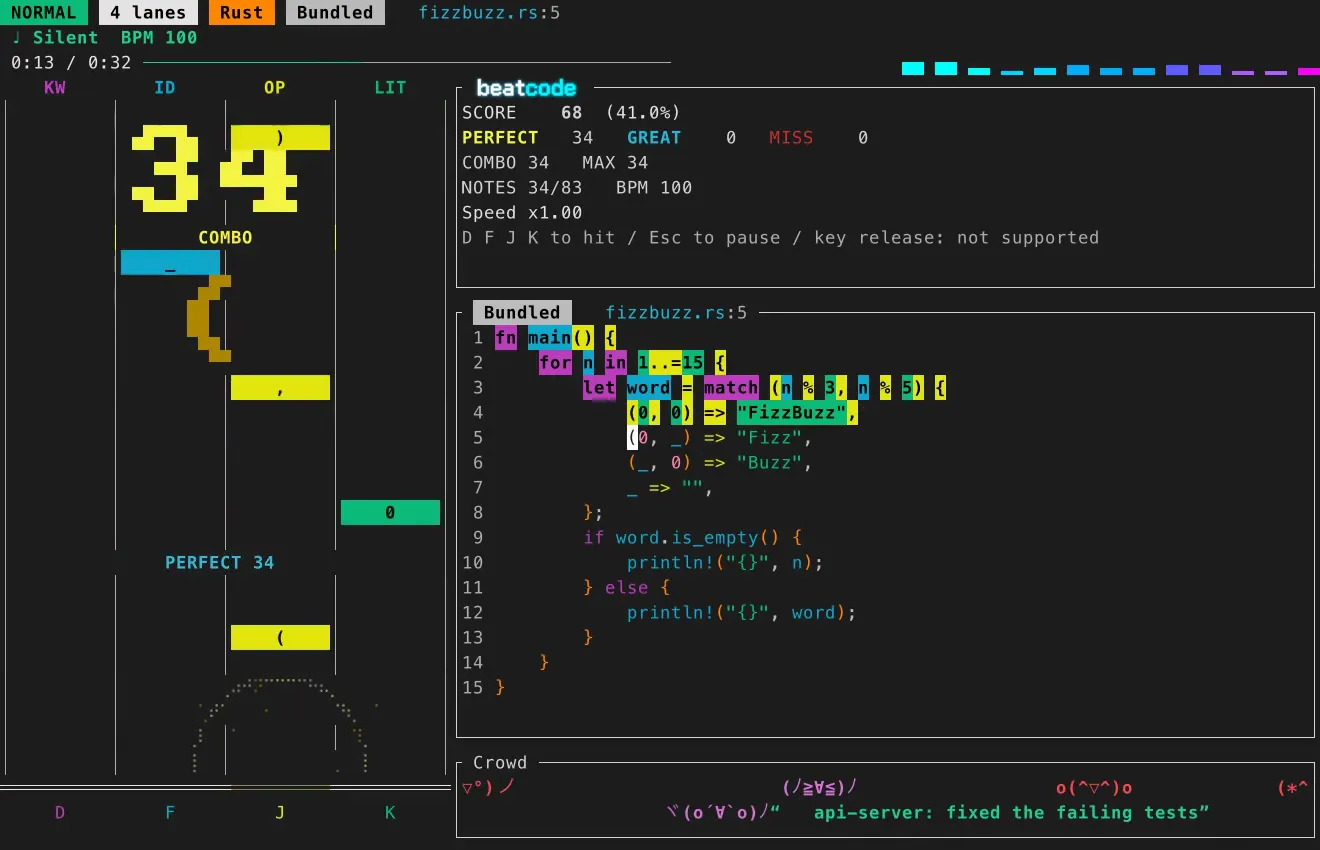
05beatcode notify
/beatcode-work uses beatcode notify, which you can call from anything: a script, a build, another agent. Each call leaves one notice, and the crowd walks them in order.
--begin and --end <text> mark the current folder’s work as started and finished; --end also leaves “<folder>: <text>”. --hook reads a Claude Code hook’s JSON and only leaves a notice while that folder’s work is marked.
beatcode notify "build finished"cargo build && beatcode notify "build OK" || beatcode notify "build failed"